
Using Cosmovisor to stage Rubin Chain binary upgrade
Prerequisite
- Linux (Ubuntu Server 22.04.3 recommended)
- 8-cpu (ARM or x86_64), 64 GB RAM, 500 GB SSD NVME Storage
- Already installed Rubin Chain full node
Preparation
- Install Go from https://go.dev/doc/install (
protocol/go.modrequires go >= 1.25.9) - Install Cosmovisor, with the following command:
go install cosmossdk.io/tools/cosmovisor/cmd/cosmovisor@v1.5.0
- Copy cosmovisor from $HOME/go/bin/ to a directory in your $PATH
- Add two environment variables to $HOME/.profile. The data directory is
$HOME/.ritbitby default
export DAEMON_NAME=ritbitdexport DAEMON_HOME=<your data directory>
- Log out and log back in.
- Initialize Cosmovisor with the following command. The
path to executableis the the full path to ritbitd
cosmovisor init <path to executable>
- Cosmovisor is now ready for use.
Running ritbitd under Cosmovisor
You have to change the way you currently run ritbitd to run under Cosmovisor. This is done simply by specifying “cosmovisor run” in place of the “ritbitd” command you used previously. Therefore, if you previously used “ritbitd start --p2p.seeds="ade4d8…”, you would change that to “cosmovisor run start --p2p.seeds="ade4d8…”
Staging upgrade
- The Cosmovisor directory structure looks like this:
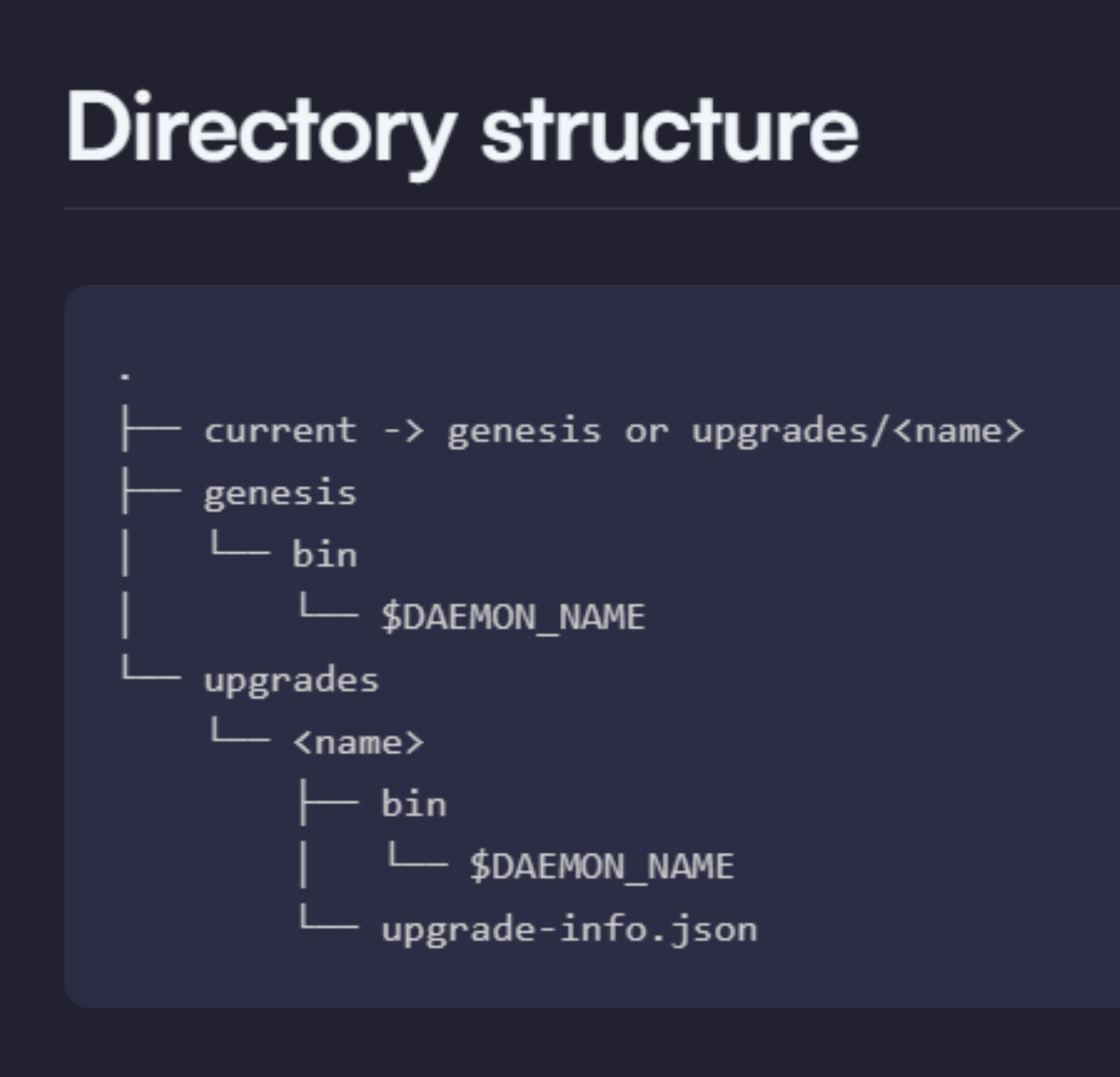
- To stage an upgrade, you would create a
namedirectory inside the upgrades/ directory. The directory name must match the upgrade name in the governance plan. For example, if the network runsv27.4and the next upgrade isv27.5, you would create a directory called “v27.5” and then a bin directory inside it.

-
Now, download the upgraded binary and put it inside the bin directory created previously. It must be named ritbitd
-
Restart ritbitd with Cosmovisor. Now, Cosmovisor will automatically halt the current binary at the block activation height and start the upgrade binary.